Available now — free
The Supplier Brief
Give the supplier more than a mood board.
Build a clear, supplier-specific working brief covering the direction, scope, constraints, unresolved decisions and advice you need—then issue it as a PDF.
A free browser-based working tool for professional wedding planners.
Immediate access sent by email. No account required.
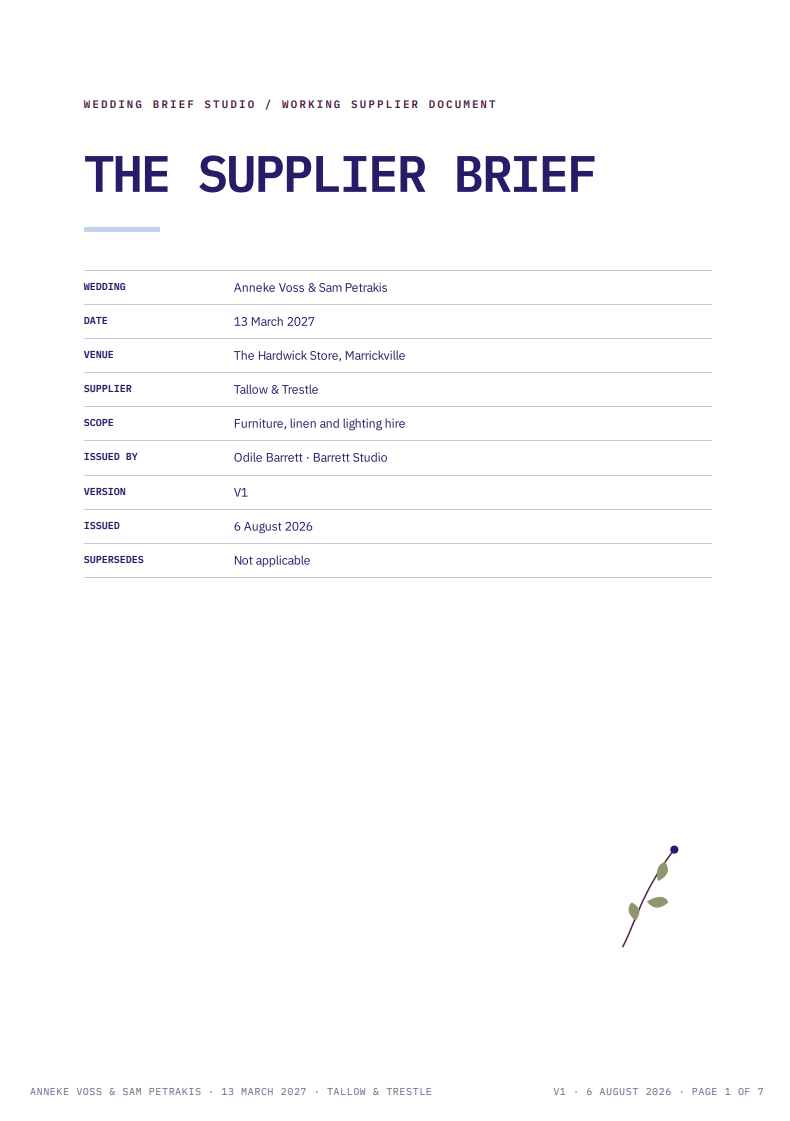
Completed sample brief
01
A mood board shows the feeling. It does not tell a supplier what to deliver.
The problem
A supplier still needs to know what is confirmed, what remains undecided, what cannot change and where their recommendation is required. Without that distinction, assumptions enter the quote and unresolved decisions quietly become part of the plan.
Example
Candlelight in a venue that prohibits open flame. An abundant installation with no bump-in window. A flexible budget that excludes delivery and removal. The visual direction may be clear while the working brief is not.
02
The four brief statuses
Confirmed
Decided and approved. The supplier can quote and work against this.
To resolve
Not yet decided. Keep it visible and do not treat it as confirmed.
Constraint
Fixed and non-negotiable. The proposed work must account for it.
For your advice
A supplier recommendation is needed before the planner makes the decision.
03
Inside the finished brief
Clear enough to quote against. Practical enough to work from.
The finished brief separates confirmed direction from unresolved decisions, fixed constraints and questions requiring supplier advice. It also brings the practical information—scope, access, timing and responsibilities—into the same working document.
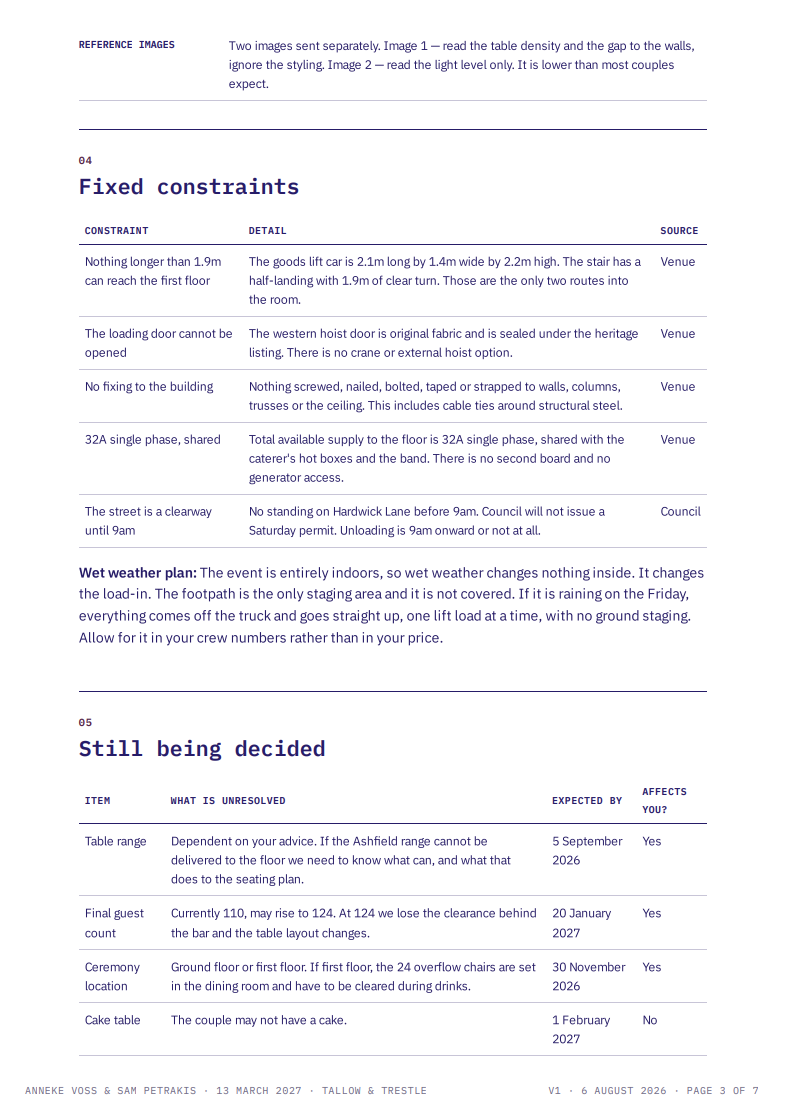
What cannot change
Fixed venue, access, timing and technical constraints are kept visible.
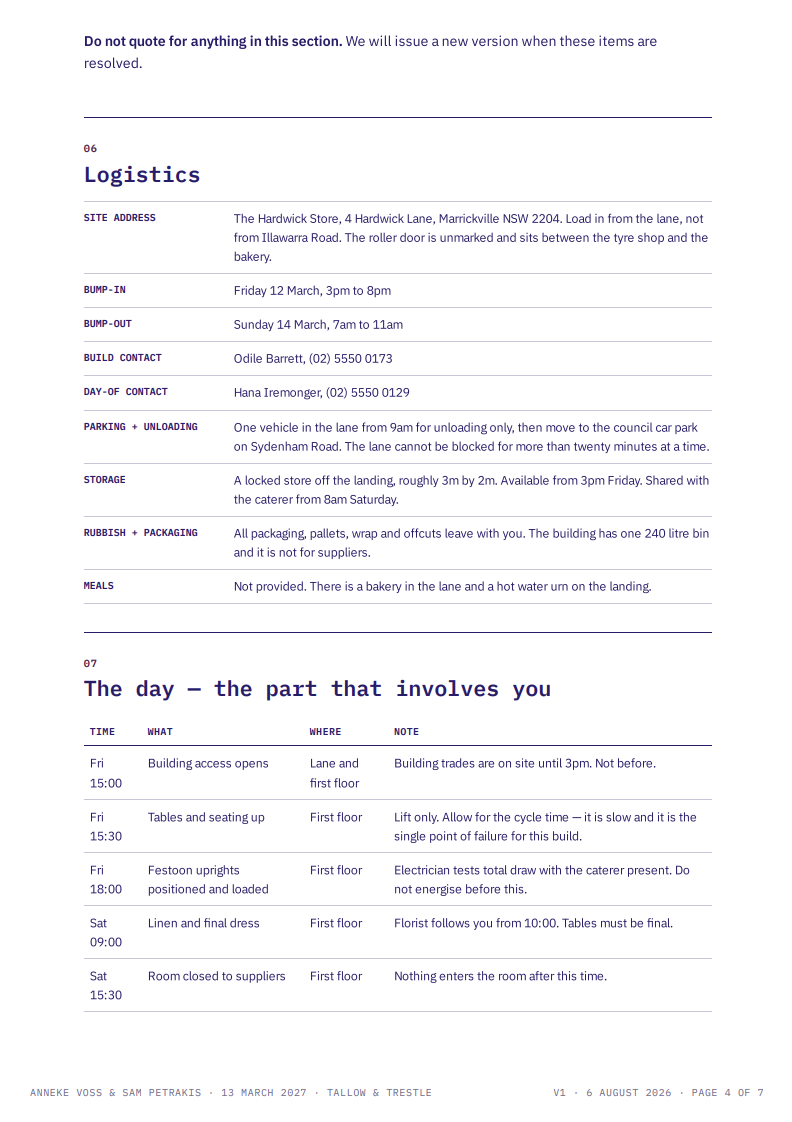
What happens on the day
Contacts, access, sequencing and supplier responsibilities sit in the same brief.
One brief, ready to issue
Review the working information, then save or print the completed supplier-specific brief as a PDF.
04
How the tool works
STEP ONE
Add your wedding details
Enter the couple, wedding and supplier information, then choose the parts of the brief relevant to this supplier.
STEP TWO
Build the brief
Add the approved direction, priorities, boundaries, practical requirements and anything the supplier needs to know. The tool keeps the information structured and easy to scan.
STEP THREE
Review and issue
Check the finished brief, make any final edits, then save or print the completed supplier document ready to send.
05
Runs locally. Works anywhere.
THE TOOL STAYS ON YOUR DEVICE
The Supplier Brief runs locally in a browser on your device. Once the HTML file has been downloaded, you do not need an internet connection to use it.
It can be opened on any device with a modern browser installed, including a computer, tablet or phone. Your working information is stored locally in that browser. It is not sent to, accessed by or stored by Wedding Brief Studio, and it is not used to train an AI system.
Your information does not automatically sync between devices. If you move to another device or browser, use the tool's Backup and Restore functions to take your saved work with you.
THE FINISHED BRIEF IS A CLEAN DOCUMENT
You do not print or send the working tool itself. When the brief is complete, the tool generates a separate, clean supplier document in the format shown in the sample pages.
From that finished document view, select "Print or save PDF". You can save the brief as a PDF to send electronically or print the clean document. The questions, guidance, navigation and working screens are not included in the finished version.
YOUR DELIVERY EMAIL IS SEPARATE
The email address you provide to receive the tool is collected separately through our email provider. It is not connected to anything entered into The Supplier Brief and is handled in accordance with our Privacy Policy.
Because the working information remains on your device, use an appropriately secured device. Protect any backup, PDF or printed copy you save or share.
06
What is included
One browser-based tool for building clear, supplier-specific working briefs—plus the guidance needed to use it well.
A structured brief builder
Work through the information a supplier actually needs: context, direction, scope, deliverables, logistics, constraints, unresolved decisions and requests for advice.
Four clear working statuses
Separate what is Confirmed, To Resolve, a Constraint or For Your Advice so uncertainty is visible rather than buried in general notes.
Supplier-specific output
Create a separate brief for each supplier’s role instead of sending the same broad wedding information to everyone.
An issue-ready PDF
Review the completed brief, then save or print a clean PDF to send to the supplier.
An editable local working version
Return to the brief on the same device to update decisions as the wedding develops. The information remains locally in the browser.
The accompanying guide
Practical guidance on deciding what belongs in the brief, using the four statuses and reviewing the document before it is issued.
Free to download. No account required.
07
Free tool for professional wedding planners
Give every supplier a brief they can work from.
Join the Wedding Brief Studio email list and receive immediate access to The Supplier Brief, together with the accompanying guide.
No account required. The information entered into the tool stays on your device.
By signing up, you agree to receive The Supplier Brief and occasional emails from Wedding Brief Studio about practical tools, resources and updates. You can unsubscribe at any time.
The access link will be sent to your inbox.